


Combine payments
Mollie and Gekko
If you combine your Gekko account with a Mollie payments account, you get the best of both worlds. Not only can you send invoices and quickly add payment links, you can combine both accounts to accept payments on your phone.
Whenever you would like to receive a payment, just open the Gekko Invoicing app on your phone, and select the "contactless payment" option. It will immediately turn your phone into a payment terminal that accepts any bankcard.
Quick Setup
Creating your Mollie account
It is super easy to setup a Mollie account connected to Gekko. You just go to your payment settings and either connect your existing or setup a new Mollie account.
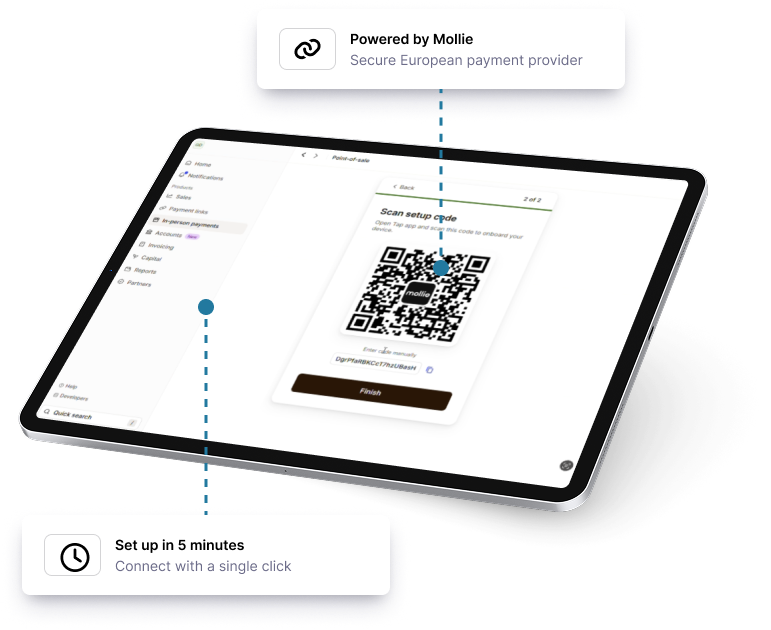
A Mollie account is setup in 5 minutes and it literally takes 2 seconds to connect to your Gekko account.
Mobile first
Install Mollie Tap
Once you have your Mollie account connected, you just need to setup your terminal:
- Download the Mollie Tap app.
- Go to "In-Person-payments" in your online Mollie account
- Select "terminal" and "Activate Tap App"
- Scan the QR code and you are done!
Start now with our
free accounting software